Family tracking apps your kid’s school is recommending. And what they share with the FRG.
Short answer
Life360, Find My Kids, Bark Connect. Schools and Family Readiness Groups recommend them, they work the way they advertise, and they share more than the recommendation implied. For military families specifically, the operative question is not whether to track your child but which third parties end up with the data once the family is done with it.
What each app actually shares
Life360
The biggest by user count. Tracks each family member’s location, drive history, and phone activity. Location updates roughly every minute when the app is active. Family members see each other on a shared map. The data is also shared, until 2022, with data brokers including Arity (an Allstate subsidiary) and others, in flows the company partly modified after press exposure but did not entirely close. The current data sharing is documented in their privacy policy: narrower than it was, but not zero. The Bay Area Privacy Network’s audit found Life360 still shares aggregated location data with third parties for advertising and analytics purposes.
Find My Kids
Smaller, parent-focused app. Adds audio environment recording (the parent can listen to the ambient sound around the child’s phone, marketed as a safety feature). Location updates are similar to Life360. Data flows through the vendor’s servers. The privacy policy is shorter than Life360’s, which is sometimes a feature and sometimes a bug. The shorter policy means fewer disclosed sharing arrangements, which can mean either fewer arrangements or less complete disclosure.
Bark Connect
Sold as a content monitoring tool that uses AI to scan a child’s text messages, social media, and email for concerning content (suicide, drugs, predatory contact). Bark partners with thousands of US school districts and is often the app the school recommends to parents. The architecture: the child’s accounts are connected to Bark; Bark scans content and alerts the parent if it matches risk patterns. The data lives on Bark’s servers. The retention is documented but the practical exposure is real: if Bark is breached or subpoenaed, the historical content of your child’s messages is in the resulting export.
Apple Find My and Google Family Link
The native options. Apple Find My uses end-to-end encryption: even Apple cannot read the location data. Google Family Link is more standard cloud-stored but Google’s data flows are the documented Google flows, not separate broker arrangements. For most families who want location sharing without the third-party data flow, Apple Find My on iPhone or Google Family Link on Android with location sharing limited to family members is the cleanest option.
Why this hits military families specifically
Three operational features make these apps a different problem for military families.
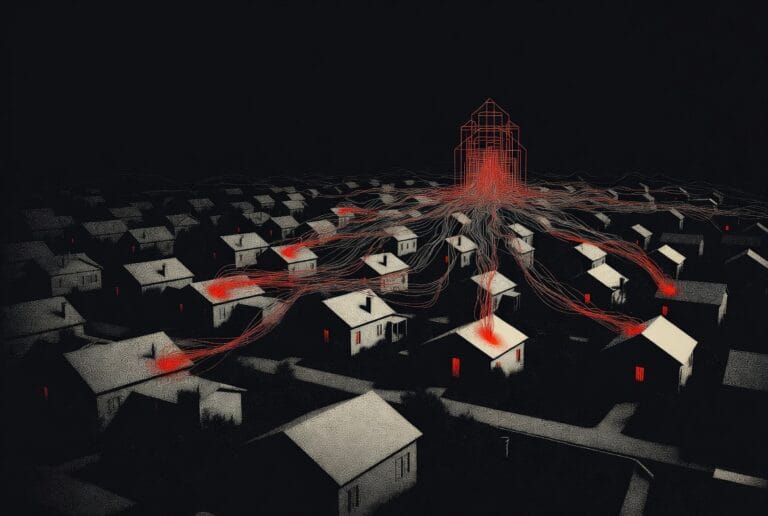
The Family Readiness Group, in many units, encourages a tracker to keep tabs on the family during deployment. The recommendation is well-meaning, but the downstream implication is rarely thought through: if Life360’s data flows reach a data broker, and the data broker correlates the family’s address to the deployed service member’s name through public records, the broker now has a continuous location feed for that household. We covered the broader exposure pattern in data brokers that publish your address.
The school’s recommendation often happens at the same time. Schools serving base communities partner with Bark or similar tools as part of their digital citizenship programs. The default is opt-out, which means most parents accept by default. The same data flow that helps the school flag at-risk students also creates a record of the child’s communications that lives outside the family.
The compounding effect is the issue. Each individual app sharing some data is small. Five apps, each sharing some data, on a family that is already in several broker databases because of the service member’s profession, produces a continuous, queryable trail. The threat-modeling logic for whether that exposure matters is the same one we walk through in how to build a threat model in 20 minutes.
What to do without giving up the visibility you need
Three actions, none of them require giving up location sharing entirely.
1. Switch to platform-native location sharing
Apple Find My on iPhone, Google Family Link on Android, used between family members only. The location data flows directly between Apple’s or Google’s servers and your devices, not through a third-party app vendor that has its own data-sharing arrangements. Coverage is the same: you see where your child is, you can ping their phone, you can be notified when they arrive somewhere. The third-party broker layer is removed.
2. If using a third-party app, use one with documented data minimization
If your unit’s FRG or your school requires a specific app, the app’s privacy practices vary. Read the privacy policy. Look for explicit no-sale-of-data language, explicit retention limits, and explicit no-third-party-broker language. Some apps in this category meet the bar (Jiobit, Findmykids’ newer privacy tier). Many do not.
3. Compartment the apps that the school requires
If your child’s school requires Bark or a similar content monitoring app, treat it as a school-only tool. Connect only the school-managed accounts (the school Google Workspace, the school-issued device). Do not connect the child’s personal accounts, personal phone, or family-shared services to the school’s monitoring stack. The compartmentation principle is the one we cover in operational identity separation between the family device and the school-required app: keep the school’s surveillance to the school’s tools.
The conversation with the school and the FRG
If you opt out, you opt out in writing. Schools that recommend Bark generally have an opt-out form. The form should specify what is being opted out of and what the alternative supervision arrangement looks like. The school is required to accept the opt-out under federal student-records law in most cases, even when they would prefer not to.
For the FRG, the conversation is different. The FRG is not a custodian of your data. They recommend tools but do not require them. A polite “we are using Apple Find My to share location within the family, which addresses our deployment-period needs” closes the conversation without conflict. Most FRG leaders have not thought through the broker exposure. They will accept the alternative once it is articulated.
Frequently asked questions
Is Life360 still selling location data after the 2022 changes?
The relationships have narrowed but not closed. Life360 stopped sharing precise location with Arity (an Allstate subsidiary) for marketing purposes after press exposure. Aggregated and partially identified data still flows under their current privacy policy for advertising and analytics. The change reduced exposure. The exposure is not zero.
Does deleting the app remove the historical data?
Sometimes. Life360 lets account holders submit a deletion request through the privacy portal, which the company says completes within thirty days. The deletion does not affect data already shared with third parties. Bark’s deletion flow exists but the historical scanning data, by their own policy, is retained for a documented period before deletion regardless of account closure.
If my spouse is deployed and the FRG strongly suggests Life360, can I refuse?
Yes. The FRG is a peer-support organization, not a chain-of-command requirement. Their recommendations are exactly that. Most FRG leaders, when an opt-out is articulated calmly with an alternative, accept it. If you encounter pressure that goes beyond a recommendation, that itself is a signal worth raising with your spouse or with the unit Family Readiness Officer.
Can the school require me to use Bark?
Generally no for student-personal accounts and devices, generally yes for school-issued accounts and devices. Schools have broad authority over the technology they provide. They have narrow authority over technology you provide for your child. Understanding the line between school-issued and family-owned is the basis for opting out cleanly.
There’s no perfect setup. Anyone selling you perfect is selling fear. The goal is simple: make yourself a harder target than the person next to you.